Free Background Remover
This free background remover works in your browser, so your photo is not uploaded for removal. Download a full-size transparent PNG with no watermark, no sign-in.
Local vs upload background removal
AmosVid processes images on your device. An upload-based remover sends your image to a server for processing.
What to compare | AmosVid | Upload-based removers |
|---|---|---|
Where the image goes | Stays in your browser during removal | Sent to a server for removal |
First load | Downloads the 26 MB Fast model once per browser cache | No model download; each image is uploaded instead |
Speed (Fast) | 0.58–0.69 s on WebGPU; 1.2–1.3 s on WASM (three images, model cached) | Adds upload time before server processing |
Where the image goes
AmosVid
Stays in your browser during removal
Upload-based removers
Sent to a server for removal
First load
AmosVid
Downloads the 26 MB Fast model once per browser cache
Upload-based removers
No model download; each image is uploaded instead
Speed (Fast)
AmosVid
0.58–0.69 s on WebGPU; 1.2–1.3 s on WASM (three images, model cached)
Upload-based removers
Adds upload time before server processing
Speeds come from an Apple M4 Pro Mac in headless Chrome 158. Formats and limits are listed further down.
Make an image background transparent and download it
Choose Transparent to get a PNG with a transparent background. White and Color produce a JPG.
Choose an image
Open, drop, or paste a JPG, PNG, or WebP. Each image can be up to 20 MB.
Set the background and edges
Choose Transparent, White, or Color. For a solid color, pick from the palette or enter a hex value. Under Edges, choose Fast or Detailed.
Download the PNG or JPG
Use Download PNG for a transparent cutout or Download JPG for a white or colored background. AmosVid prefixes the filename, as in amosvid-portrait-no-bg.png.
Fast vs Detailed on three test images
Measured on an Apple M4 Pro Mac in headless Chrome 158 with three Unsplash photos, models cached. Edges scored by hand, 1–5; 5 means clean hair, fur, and glass edges.
First model downloads
Fast: 26 MB, loaded by default. Detailed: 100 MB, loaded when selected. WASM results ran with WebGPU turned off.
Portrait
WebGPU: Fast 0.69 s, 3/5; Detailed 8.3 s, 3/5. WASM: Fast 1.2 s, 3/5; Detailed 15.6 s, 4/5.
Product
WebGPU: Fast 0.63 s, 2/5; Detailed 8.1 s, 3/5. WASM: Fast 1.2 s, 2/5; Detailed 15.4 s, 3/5.
Animal
WebGPU: Fast 0.58 s, 2/5; Detailed 8.1 s, 3/5. WASM: Fast 1.3 s, 2/5; Detailed 15.1 s, 3/5.
Image formats, size limits, and downloads
Open a JPG, PNG, or WebP up to 20 MB. Remove the background for a transparent PNG or replace it with white or a solid color for JPG.
Feature | What the tool supports |
|---|---|
Input formats | JPG, PNG, and WebP |
Size per image | Up to 20 MB (20,000,000 bytes) |
Maximum dimensions | 8192 px per side and 12 megapixels |
Images at once | 1 without signing in or up to 10 with an account |
Transparent background | PNG at the original dimensions |
White or solid background | JPG at the original dimensions |
Downloads have no watermark. The tool corrects photo orientation before export and strips EXIF metadata from the downloaded image.
See how cutouts handle tricky edges
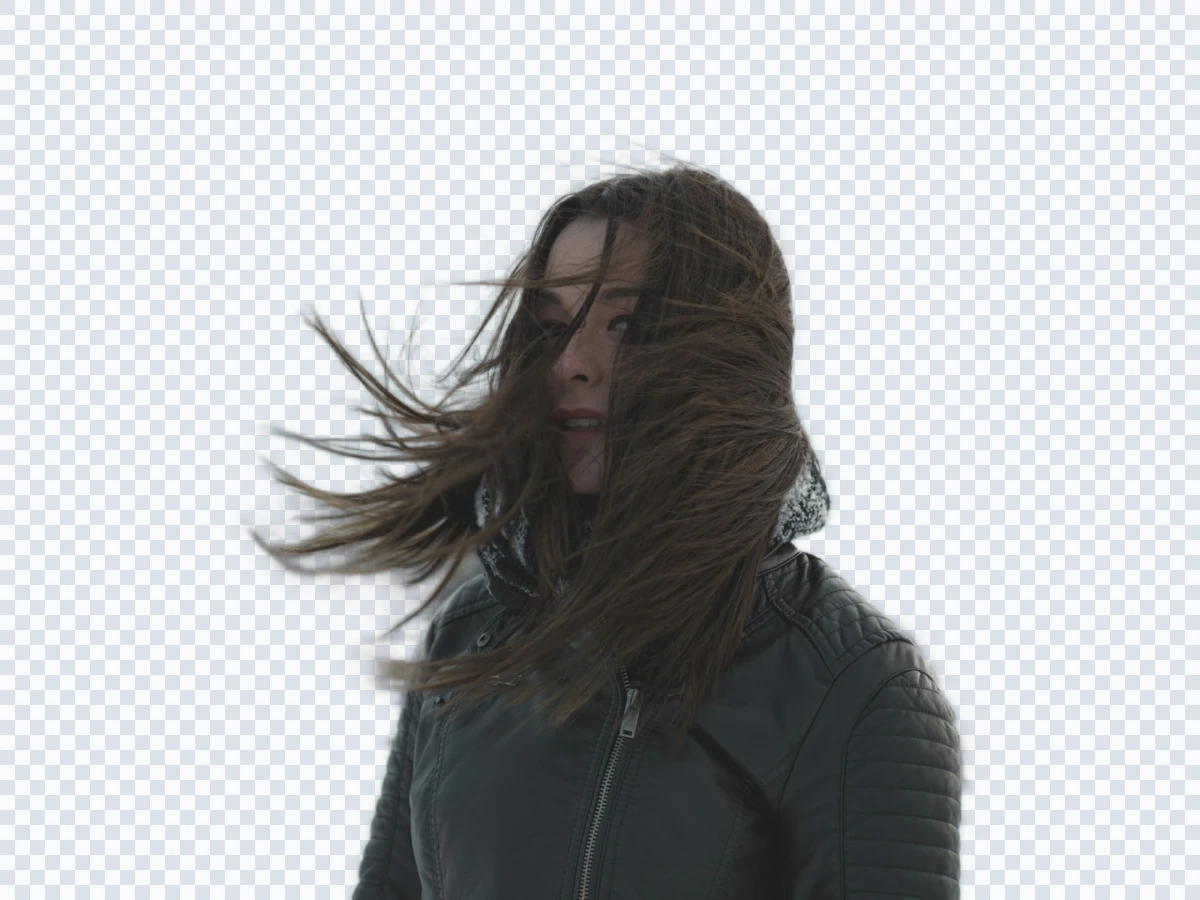
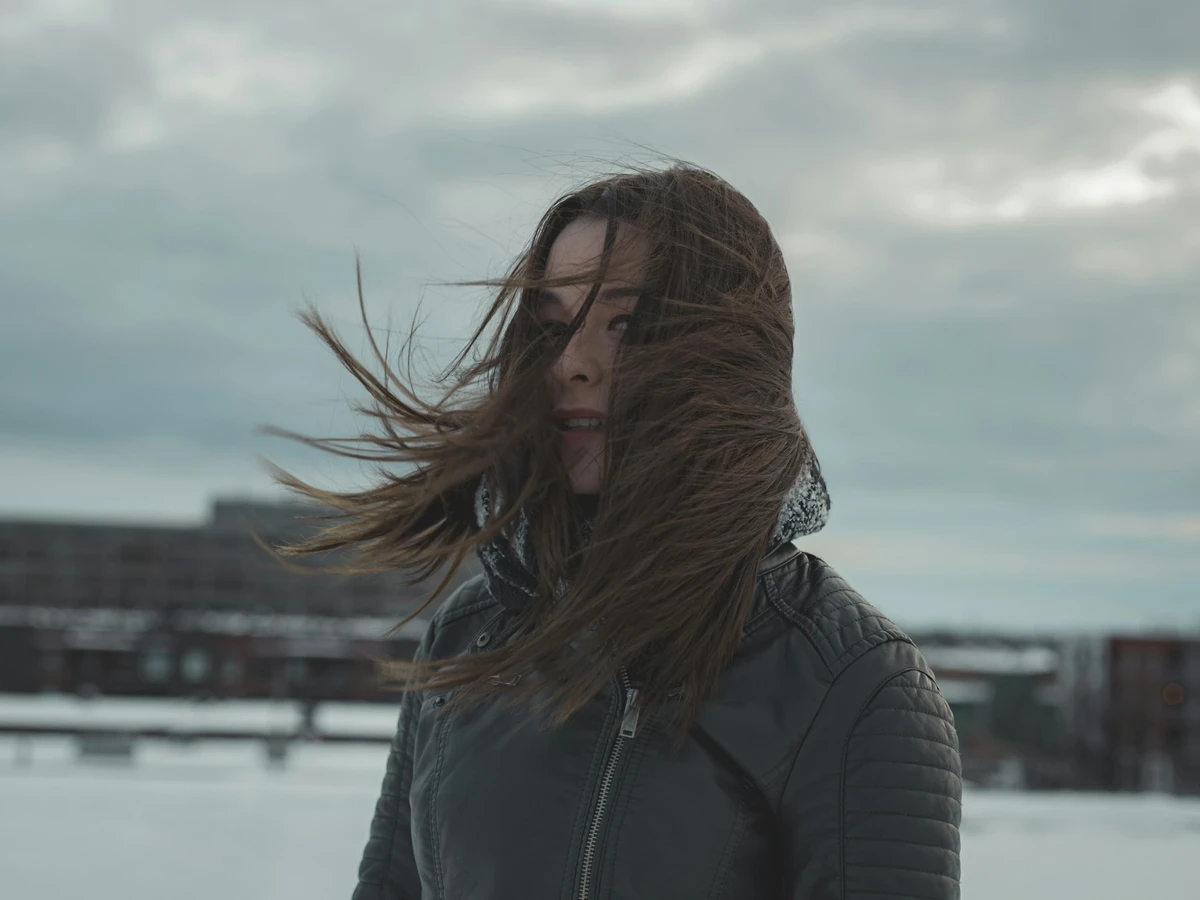
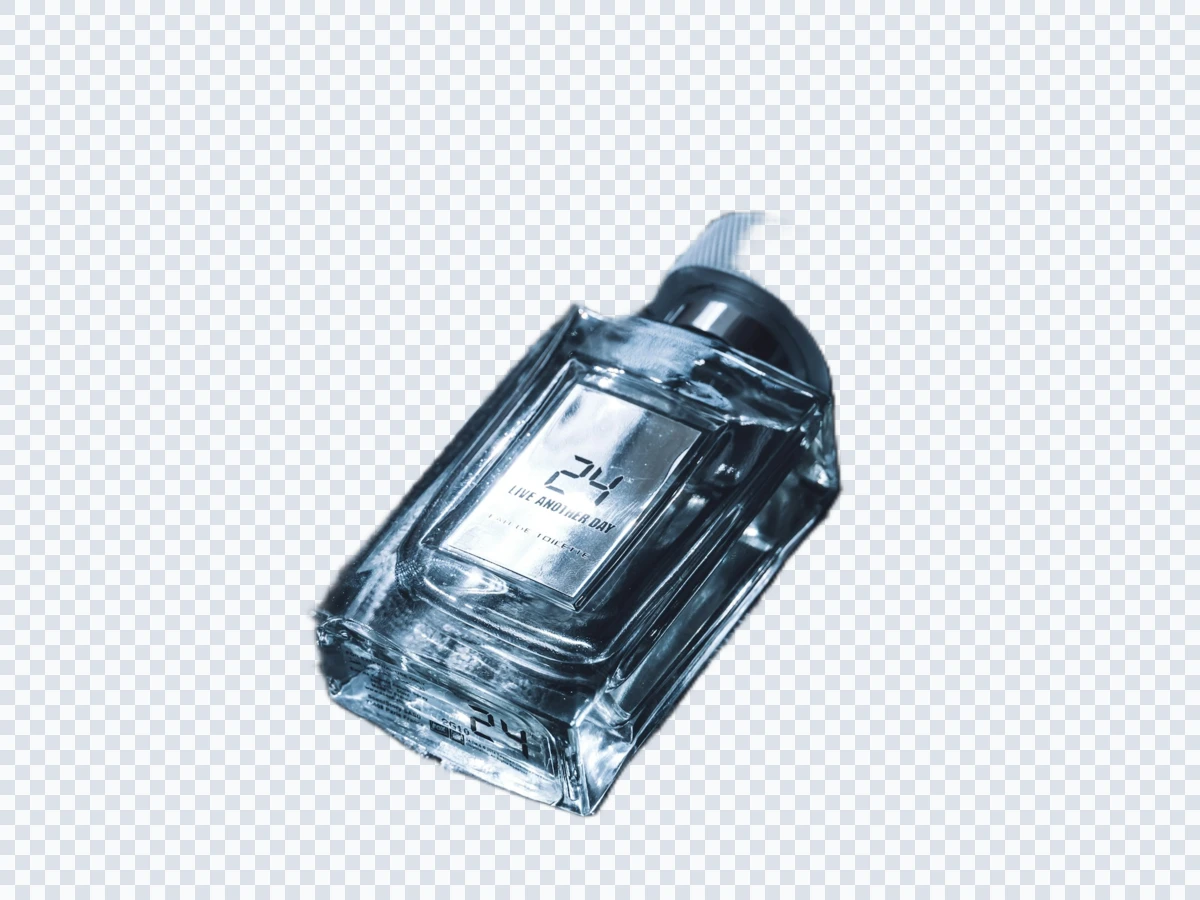
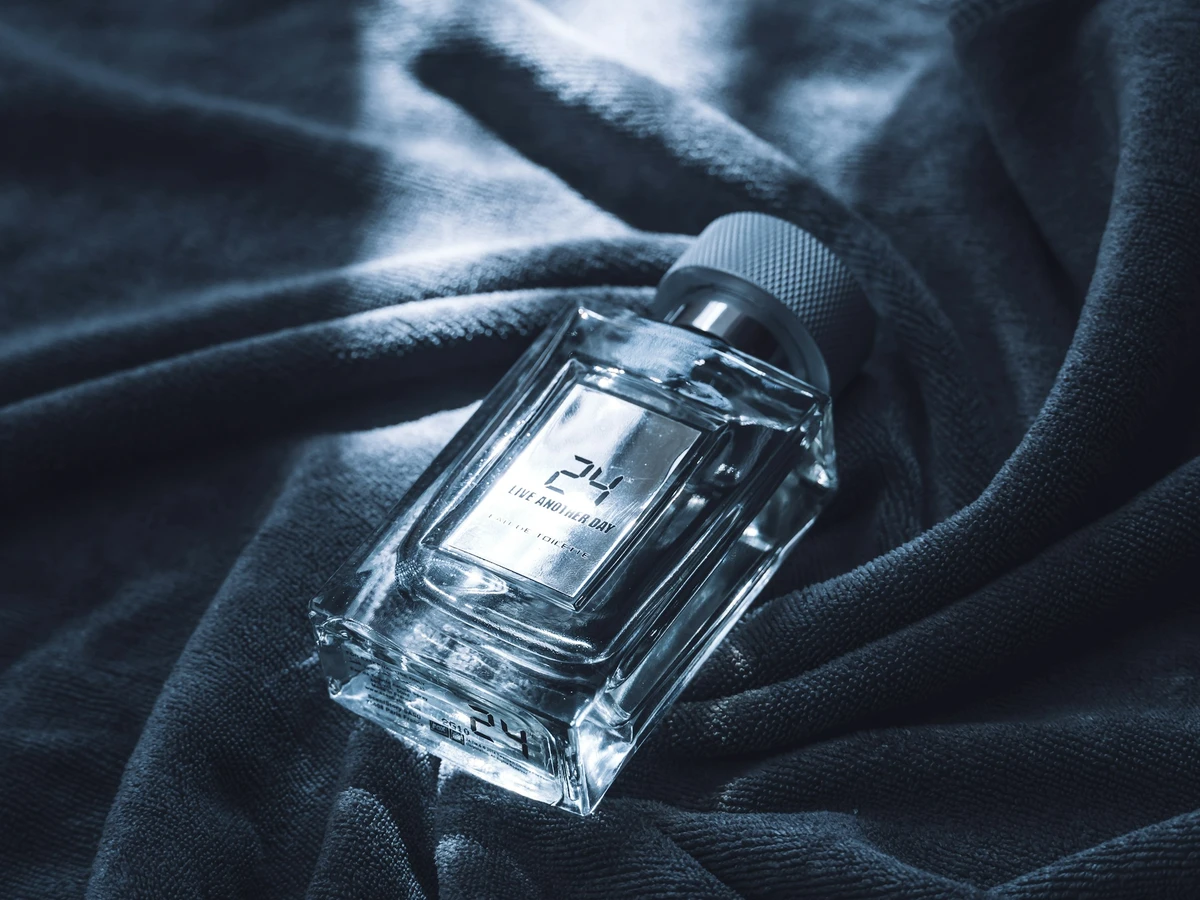
On WebGPU, Fast and Detailed both scored 3/5 on hair. Detailed scored 3/5 on the product and animal, Fast 2/5. Glass and fine hair can lose detail either way.
Portrait with loose hair
 BeforeAfter
Glass bottle on dark fabric
 BeforeAfter
Fast keeps most loose hair, with a faint gray fringe. Detailed keeps the glass highlights but clips the top of the cap.
Use a cutout in a whiteboard video
Choose Make a whiteboard video to save the cutout to My images after signing in. My images takes up to 10,485,760 bytes, 8000 px per side, and 40 megapixels.
AmosVid is an AI whiteboard animation video generator that turns your script into a hand-drawn explainer video with voiceover in one click.
Results larger than those limits can still be downloaded. A saved cutout appears in My images in the studio, ready to replace a drawing in a scene.
Transcript
This is a single drop of water. Let's follow it.
Right now it's floating in the ocean, along with a few trillion friends.
Then the sun comes up. The water warms, and our drop turns into vapor — too light to see — and rises into the sky. That's evaporation.
High up, the air is cold. The vapor cools and clings to a speck of dust. Millions of drops do the same, and together they make a cloud. That's condensation.
The cloud grows heavier, and heavier, until it can't hold on. Our drop falls — as rain, or as snow if it's cold enough. That's precipitation.
It lands on a mountain, slides into a stream, joins a river, and the river carries it all the way back to the ocean. That's collection.
And then the sun comes up again.
The water you drank today has been making this trip for billions of years. A dinosaur may have drunk it first.
Image processing stays in your browser
You can remove a background and download the result without an account or an image upload.
Local processing with no account
The original and result stay in your browser during background removal, with no account needed.
Models are cached in your browser
Your browser downloads each model from AmosVid on first use and keeps it in its cache for later runs.
My images saves the current result
The tool uploads the current result only when you choose Make a whiteboard video and are signed in.
Frequently asked questions
Is the Background Remover free?
Yes. Remove the background from one image at a time with no account and no watermark. Each image can be up to 20 MB (20,000,000 bytes).
Does AmosVid upload my photo to remove the background?
Background removal runs in your browser, so the image is not uploaded for processing. AmosVid uploads the current result to My images only when you choose Make a whiteboard video and are signed in.
Does background removal reduce the image resolution?
The download keeps the original pixel dimensions after correcting orientation, within the limit of 8192 px per side and 12 megapixels. Fine edges around loose hair or glass can lose detail.
Why does the first background removal take longer?
The first run downloads a 26 MB model for Fast or a 100 MB model for Detailed; later runs read it from your browser cache.
Can I use a cutout for commercial work?
Yes, if you have the rights to the source image. The Fast model weights are licensed under Apache-2.0 (MODNet) and the Detailed weights under MIT (BiRefNet Lite).
Can I remove a background on my phone?
The tool runs in the browser, so a phone can work if its browser supports WebAssembly. Phones were not tested. If Detailed fails, the tool suggests Fast or a smaller image.
What happens if the tool can't find a subject?
If no clear subject is found, the tool shows a message and suggests trying a photo with a person, product, or animal instead.